
Robux, V-Bucks and Gift Cards: A Holiday Gaming Money Plan for Kids

Written by Family Finance Warriors | Updated November 18, 2026
If your kids' holiday wish lists include coins, gems, Robux or V-Bucks, you're in good company. In the Entertainment Software Association's (ESA) 2026 holiday survey, released November 16, money and gift cards (65%) topped kids' wish lists, and 58% of kids ages 5 to 17 said they plan to ask for a video game-related gift. In-game currency was one of the three most-requested video game gifts, at 41%, and kids ages 9 to 12 were the group most likely to be hoping for it.
In-game currency can feel like play money, but it's real money in disguise. That makes it one of the best money lessons you'll get all year, if you set it up on purpose. Here's a simple plan to keep gaming spending inside your family budget, plus the gift card gap in parental controls that most parents don't know about.
Why Game Currency Is a Money Lesson in Disguise
When a game sells coins in bundles, it adds a step between your kid and the price. Instead of "this costs $5," it's "this costs 400 coins," and the coins came in a pack that may leave some leftover. Kids, and plenty of adults, lose track of what they're actually spending.
Teaching your child to translate coins back into dollars is the same skill as comparing unit prices at the grocery store. Here's a hypothetical example you can walk through together:
Step | Hypothetical example | What your child learns |
|---|---|---|
1. Find the pack price | A $10 pack gives 800 coins | Coins are bought with real dollars |
2. Work out cost per coin | $10 divided by 800 = 1.25 cents per coin | How to find a unit price |
3. Price the item in dollars | A 400-coin item costs about $5 | What the item really costs |
4. Check the leftovers | 800 minus 400 leaves 400 coins | Bundles can push you to spend again |
These numbers are made up for practice. Have your child use the real prices from the game they play.
The Gift Card Gap Most Parents Miss
Purchase approvals and spending limits are useful, but they don't always cover gift cards and redemption codes. Here's what the platforms themselves say:
Apple: With Ask to Buy, you get a request when your child wants to buy an app or make an in-app purchase. But Apple says you won't receive a request if your child uses a redemption code.
Google Play: Google says its purchase approval settings only apply to purchases made through Google Play's billing system.
Roblox: Roblox says its monthly spending limits don't impact gift card redemptions and may not apply on certain console devices. To limit spending on a console, Roblox says to set a limit on the device itself.
That isn't a reason to avoid gift cards. It's a reason to use them on purpose. A gift card works like a cash envelope: once it's spent, it's gone. Just know that it can be spent without an approval request, so the dollar amount on the card is your real limit.
Parent Controls Worth Turning On
Platform | Tool | What it does | Keep in mind |
|---|---|---|---|
Apple (iPhone, iPad, Mac) | Ask to Buy | Sends you a request to approve or decline purchases and in-app purchases | Redemption codes don't trigger a request |
Google Play (Android) | Purchase approvals in Family Link | Lets you require approval for all content, paid content or in-app purchases only | Only covers Google Play billing |
Roblox | Monthly spending limit | Caps monthly spending on a linked child account | Doesn't affect gift card redemptions; may not apply on some consoles |
Roblox | Spending notifications | Alerts for every transaction, or high-spend alerts at $100, $250 and $500 a month | Requires a linked parent account |
Game consoles | Console parental controls | Spending limits set on the device | Set these separately from in-game settings |
Settings change often, so check each platform's help page for the current steps. The ESA says 87% of parents require their approval before in-game purchases, and its holiday guide points families to the parental controls available on virtually every game device.
A Simple Family Gaming Money Plan
Pick a number. Decide how much gaming money fits your holiday budget for each child, and how much per month after the holidays. Write it down where everyone can see it.
Choose the container. A gift card with that exact amount, or a platform spending limit set to that number. Use one or the other so there's one clear limit.
Let kids fund the extras. Anything beyond the set amount comes from their own allowance or chore money. That's when they start asking, "Is this really worth it?"
Use a 24-hour rule. Any purchase over a set amount waits a day. Many impulse buys don't survive the wait.
Do the coin math first. Before every purchase, your child says the price in dollars, not coins.
Track it. A simple notebook page or spreadsheet with date, item, coins and dollars. Review it together once a month.
What This Looks Like by Age
Age | Who pays | The money lesson |
|---|---|---|
5 to 8 | Parents buy, in small set amounts | Coins cost real money, and when they're gone, they're gone |
9 to 12 | A set monthly amount, plus allowance for extras | Comparing prices, waiting, and choosing one thing over another |
13 to 17 | Teens manage their own gaming budget | Planning ahead, tracking spending, and deciding what's worth it |
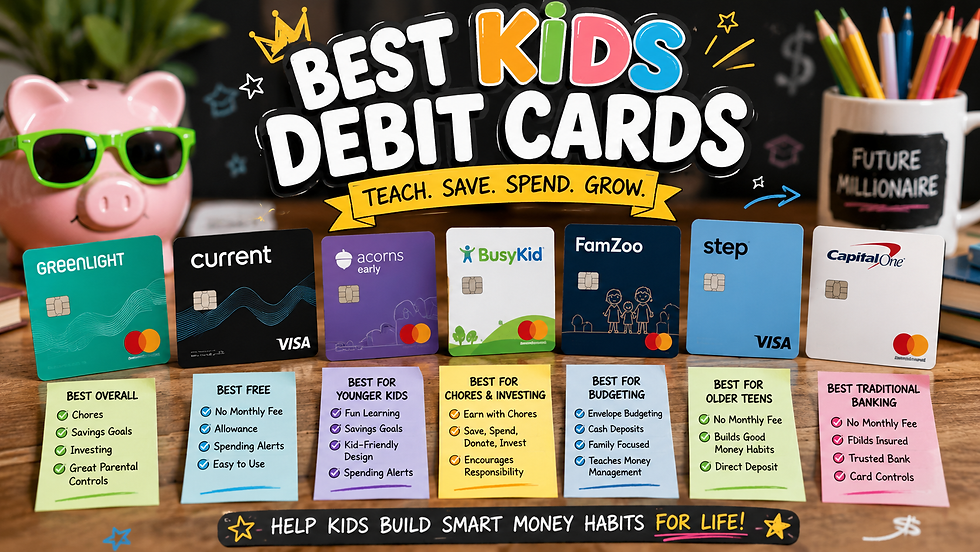
For teens ready to manage money on a card, our guide to kids' debit cards and credit-building cards compares options with parent controls. For more ideas by age, see how to teach kids about money at every stage.
What to Say When They Ask for More Coins
You don't need a lecture. Try a short script like this:
"How much is that in real dollars? Okay. Is it coming out of your gaming money for this month, or your own savings? If it's still worth it tomorrow, we can talk about it then."
That one question does three things: it turns coins back into dollars, it reminds them there's a limit, and it gives the excitement a day to cool off.
Holiday Cash Gifts: Give Every Dollar a Job
Since money and gift cards top kids' wish lists, many kids will end the holidays with cash. Before it gets spent, sit down together and split it into three jars or accounts: spend, save and give. Your family picks the split. The point is that your child decides on purpose, instead of the money disappearing into a game in one evening.
If chores are part of how your kids earn money, our chores by age guide can help you set fair jobs and pay. And our 2026 holiday budget plan shows how to fit gifts like these into one family spending limit.
The Bottom Line
Game currency isn't going away, and it doesn't have to be a budget leak. Set one clear limit, know that gift cards and redemption codes can get around purchase approvals, and make your kids do the coin-to-dollar math before every purchase. It's a small habit that builds the same skills they'll need for every budget they ever make.
Want a simple place to track it all? Grab our free budget planners for zero-based budgeting and monthly check-ins, or check out the printable budget planner on Etsy if you'd like a full system.
Stay connected with Family Finance Warriors: Follow us on X, Facebook, Pinterest, and YouTube for new guides and family money tips, and browse our planners and printables in the FamilyBudgetWarriors Etsy shop.
Disclaimer: This article is for educational purposes only and is not financial advice. Platform features and settings are described from each company's own help pages as of November 18, 2026, and can change at any time. The coin example is hypothetical. Family Finance Warriors has no affiliation with Apple, Google, Roblox, the ESA or any game publisher, and this article contains no affiliate links.


Comments