

Top 10 Kids' Smartwatches and GPS Trackers for 2026 (No Smartphone Required)

Written by Family Finance Warriors | Updated November 12, 2026
A lot of parents are asking the same question right now: how do I keep in touch with my kid without handing them a smartphone? For many families, the answer is a kids' smartwatch or GPS watch. Your child can call and text the people you approve, you can see where they are, and nobody's scrolling social media at the bus stop.
But here's what the box doesn't tell you: every watch on this list needs a monthly plan. The real cost is the device plus that plan, month after month, plus whatever phone or carrier the watch locks you into. That's why we ranked these on money and safety first, not on flashy features.
Below you'll find how we ranked them, the Top 10 for 2026, a side-by-side comparison, a parent setup and safety checklist, and answers to the questions we hear most.
How We Ranked These Watches
These watches are ranked on stated criteria, with no paid placement. We didn't test them ourselves. We compared the brands' and carriers' own pages with independent reviews, mainly Wirecutter's guide, The Best Smartwatches for Kids (updated August 11, 2026). Here's how much each factor counted:
Ranking factor | Weight | What we looked at |
Plan flexibility and cost tier | 30% | Is a plan required? Is it locked to one carrier? Do you have to be that carrier's customer? Is the device budget-friendly, mid-range, or premium? |
Safety features | 25% | GPS location, geofence or safe-zone alerts, SOS, parent-approved contacts, school mode, no browser or social apps |
Independent reviews | 15% | What named, linked reviewers reported, with no invented scores |
Battery life | 10% | Brand-stated or reviewer-reported, labeled |
Durability and water rating | 10% | Brand-stated ratings |
Warranty | 10% | From the brand's or carrier's own page |
About prices: we left out device and plan prices on purpose. They change often, and carriers run promotions. Before you buy, write down the device cost, the monthly plan cost, and any activation fee, then multiply the plan by 24 months. That's your real two-year price.
About the links: our Amazon links are affiliate links. Two watches on this list aren't sold on Amazon, so we link to the carrier's official page instead. Those links don't earn us anything.
The Top 10 Kids' Smartwatches and GPS Trackers for 2026
1. Garmin Bounce 2
Plan: Garmin's own LTE subscription is required for calling, texting, and location. It's managed by Garmin, so you don't need a carrier account.
Parent phone: the Garmin Jr. app on a compatible iPhone or Android phone.
Safety: two-way calling and voice messaging with parents and parent-approved contacts, real-time location, and alerts when your child enters or leaves an area you set (Garmin).
Battery: up to 2 days, per Garmin.
Reviews: Wirecutter wrote, "We've been impressed with the location tracking ability of Garmin's Bounce 2." Its home-boundary alert fired just before the tester's child walked in the door.
Warranty: one-year limited.
Why No. 1: a plan that isn't tied to a phone carrier, works with iPhone or Android, and has strong location tracking according to Wirecutter.
2. Verizon Gizmo Watch 4
Plan: Verizon only. Add it to your Verizon account or open a new Gizmo account.
Parent phone: managed in the Verizon Family app, which Verizon says comes "at no additional cost."
Safety: up to 40 parent-approved contacts, real-time geofence alerts, School Mode, Watch Removal Detection, and an SOS button that stays active during School Mode (Verizon).
Battery: up to 120 hours standby and up to 36 hours usage, per Verizon.
Durability: 5ATM water resistance (Verizon).
Reviews: Wirecutter's top pick for younger kids is the earlier Gizmo Watch 3 - Adventure. Wirecutter says it's testing the Gizmo Watch 4.
Why No. 2: the strongest approved-contacts and school controls on this list, from a line Wirecutter recommends. The tradeoff is being locked into Verizon.
Verizon Gizmo Watch 4 on Verizon's official site (not sold on Amazon; no commission)
3. Apple Watch SE 3 (GPS + Cellular), Set Up for Your Child
Plan: cellular service from a supported carrier is required. Apple says the child's watch can use a different carrier than the parent's iPhone, where supported.
Parent phone: an iPhone is required. Wirecutter says iPhone 11 or later on iOS 26 or newer. Android-only families can't use it.
Buy the right model: you need the GPS + Cellular version. A GPS-only model can't be set up as a child's cellular watch.
Safety: location with arrive and leave alerts, Schooltime, managed contacts, and Emergency SOS.
Reviews: Wirecutter's top pick for older kids.
Warranty: Apple's one-year limited warranty; AppleCare+ is optional.
Why No. 3: the best-reviewed choice for older kids, but it needs an iPhone and is the priciest total cost on this list.
4. Xplora X6Play
Plan: an Xplora plan is required.
Parent phone: the Xplora app.
Safety: GPS, SOS, calls and messages.
Warranty: one-year manufacturer warranty, excluding accidental damage.
Buy the right model: make sure it's the US version.
Why No. 4: a mid-range device that isn't tied to a parent's phone carrier. Wirecutter hasn't reviewed it.
5. TickTalk 5
Plan: a TickTalk Wireless plan is required. TickTalk says you don't need an AT&T or T-Mobile account.
Parent phone: the TickTalk app for iOS or Android.
Features: voice, video, and text with up to 53 contacts (per Wirecutter), GPS, SOS, and iHeartRadio Family music.
Reviews: Wirecutter suggests it if your kid wants music, but says the app "can be a pain to set up," you "can't refresh and see the child's live location quickly," and the touchscreen was glitchy.
Warranty: one year for defects. Accidental and water damage need TickTalk's Plus plan.
6. Gabb Watch 3e
Plan: a Gabb plan is required, activated through Gabb.
Parent phone: the MyGabb app for iOS or Android.
Safety: GPS tracking, Safe Zone alerts, parent-approved contacts, SOS, and no social media or internet browser (Gabb).
Durability: IP68 water resistance and Gorilla Glass 3 (Gabb).
Reviews: mixed at Wirecutter. It liked that texting doesn't need a parent app and the digital pet, but said the step counter "never accurately counted our steps," and it "read multiple complaints" about customer service after a watch broke.
Warranty: one-year limited, with an optional paid protection plan.
7. Bark Watch (Built on Samsung Galaxy Watch8)
Plan: Bark's own wireless and parental-control plan is required. Bark asks you to check its coverage map first, and service isn't available in Alaska.
Parent phone: the Bark app for iOS or Android.
Safety: GPS location, SOS that can call 911, contact control, text monitoring, and "no browser, no games, no social media" (Bark).
Durability: 5ATM + IP68 (Bark).
Reviews: Wirecutter tested Bark's previous watch hardware and "weren't as impressed," citing parent-app crashes.
Warranty heads-up: Bark's one-year hardware-defect replacement covers only watches bought from bark.us. If you buy on Amazon, Bark says to contact the retailer for defects.
8. Cosmo JrTrack 5 SE
Plan: a Cosmo membership is required. It runs on Cosmo's own service and can't use another carrier's SIM.
Parent phone: the Cosmo app.
Reviews: Wirecutter hasn't tested the JrTrack 5. It tested the older JrTrack 4.
Buy the right model: get the JrTrack 5 SE.
9. T-Mobile SyncUP KIDS Watch 2
Plan: T-Mobile customers only. The watch has its own watch plan on your T-Mobile account.
Parent phone: managed in T-Mobile's T-Life app.
Warranty: one year against manufacturer defects.
Why No. 9: a budget-friendly device and add-on line if you're already with T-Mobile, but it's locked to T-Mobile and we found no independent review.
T-Mobile SyncUP KIDS Watch 2 on T-Mobile's official site (not sold on Amazon; no commission)
10. Samsung Galaxy Watch8 40mm LTE With Galaxy Watch for Kids
Plan: a qualifying wireless plan with LTE service activated. Samsung lists Verizon, AT&T, and T-Mobile at launch.
Parent phone: a compatible Samsung smartphone is required for the initial pairing, plus a supervised Google account managed with Google Family Link.
Buy the right model: it must be the LTE version. A Bluetooth-only watch won't work for kids mode.
Safety: approved contacts, location sharing, and school-time controls. Samsung itself says location sharing "may not be reliable in an emergency or available in all areas."
Reviews: Wirecutter says it's testing Samsung's Galaxy Watch for Kids.
Want to compare them all in one place? See our Amazon idea list, First Watch Before First Phone.
Side-by-Side Comparison
Rank and watch | Monthly plan from | Parent phone needed | Where to buy |
1. Garmin Bounce 2 | Garmin (no carrier account) | iPhone or Android | Amazon |
2. Verizon Gizmo Watch 4 | Verizon | Verizon Family app | Verizon |
3. Apple Watch SE 3 GPS + Cellular | Supported carrier | iPhone | Amazon |
4. Xplora X6Play | Xplora | Xplora app | Amazon |
5. TickTalk 5 | TickTalk Wireless | iOS or Android | Amazon |
6. Gabb Watch 3e | Gabb | iOS or Android | Amazon |
7. Bark Watch | Bark | iOS or Android | Amazon (warranty via bark.us only) |
8. Cosmo JrTrack 5 SE | Cosmo membership | Cosmo app | Amazon |
9. T-Mobile SyncUP KIDS Watch 2 | T-Mobile (customers only) | T-Life app | T-Mobile |
10. Samsung Galaxy Watch8 LTE | Verizon, AT&T, or T-Mobile | Samsung phone | Amazon |
Why no AirTags or Tile? Wirecutter didn't consider tracking tags "because they lack a way to communicate." They're for backpacks, not for keeping in touch with your kid.
Parent Setup and Safety Checklist
Whatever watch you choose, treat setup like a pre-mission brief. Do it together, at home, before the first day it leaves the house.
Do the cost math first. Device + activation + (monthly plan x 24). Put the plan in your monthly budget as its own line.
Check coverage where your kid actually goes. Home, school, practice, grandma's house.
Approve contacts only. Start small: parents, grandparents, one trusted neighbor.
Set safe zones and school mode with your child's real schedule.
Practice SOS together. Show your child exactly when and how to use it, and test what happens when they press it.
Agree on charging. Pick one charging spot and time, so a dead battery doesn't surprise you.
Talk about privacy. Tell your child what you can see, like location, and why. Trust works both ways.
Register the warranty and save receipts. Note who handles repairs, especially if you bought from a retailer instead of the brand.
Set a review date. Every few months, check whether the plan, contacts, and rules still fit.
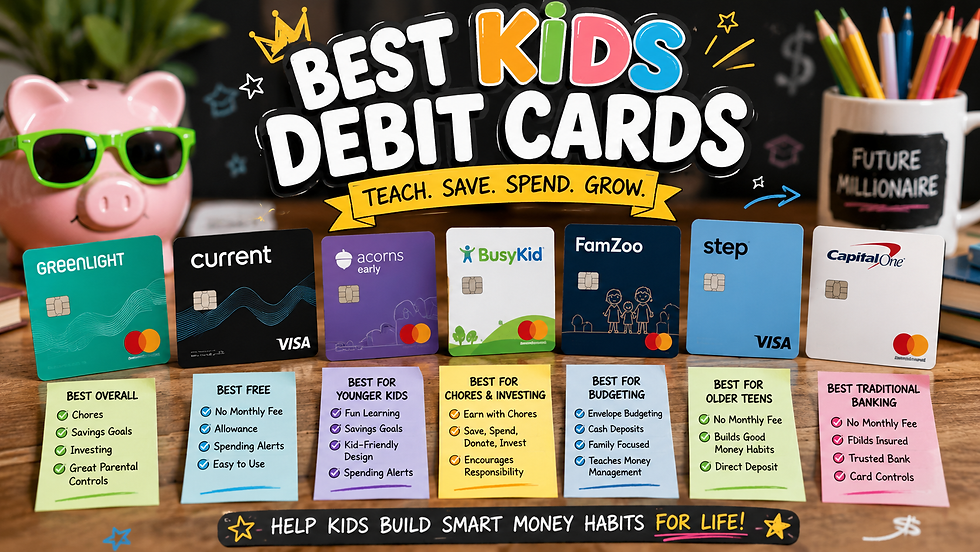
For more on setting tech boundaries, read our parent guide to healthy screen time rules by age and our smart tech tips for keeping kids safe online. If your kid is ready to learn about money too, see our best kids debit cards for 2026 and how to teach kids about money by stage.
Frequently Asked Questions
Do kids' smartwatches need a monthly plan?
Yes, every watch on this list needs one. Wirecutter notes that a kids smartwatch comes with a SIM card and its own phone number, and usually requires a monthly cellular subscription. Some plans are sold by the watch brand, and others require you to be a customer of a specific carrier.
Can my child's watch be on a different carrier than my phone?
Often, yes. Garmin, Xplora, TickTalk, Gabb, Bark, and Cosmo sell their own plans. Apple says a child's Apple Watch can use a different carrier than the parent's iPhone, where supported. The Gizmo Watch 4 and SyncUP KIDS Watch 2 are tied to Verizon and T-Mobile.
Do I need a specific phone?
For some watches. The Apple Watch SE 3 needs a parent iPhone, and Samsung's Galaxy Watch for Kids needs a compatible Samsung phone for setup. Most of the others use an app that works on iPhone or Android.
Is a smartwatch a good "first phone" step?
For many families, yes. You get calling, texting with approved contacts, and location without a web browser or social media. It can be a good way to build trust and responsibility before a full smartphone.
Should I buy from Amazon, the brand, or the carrier?
Check who handles the warranty first. Bark, for example, only replaces defective watches bought from bark.us. Whatever you choose, confirm the exact model, like an LTE or GPS + Cellular version, before you check out.
Stay connected with Family Finance Warriors: Follow us on X, Facebook, Pinterest, and YouTube for new guides and family money tips, and browse our planners and printables in the FamilyBudgetWarriors Etsy shop, find our recommended picks on our Amazon storefront, and grab our free budget planners.
Affiliate disclosure: As an Amazon Associate, Family Finance Warriors earns from qualifying purchases. This comes at no additional cost to you.
Ranking disclosure: These watches are ranked on the stated criteria above. No brand paid for placement, and we did not test these devices ourselves. Features, plans, coverage, and warranties change, so confirm the details with the brand or carrier before you buy.


Comments